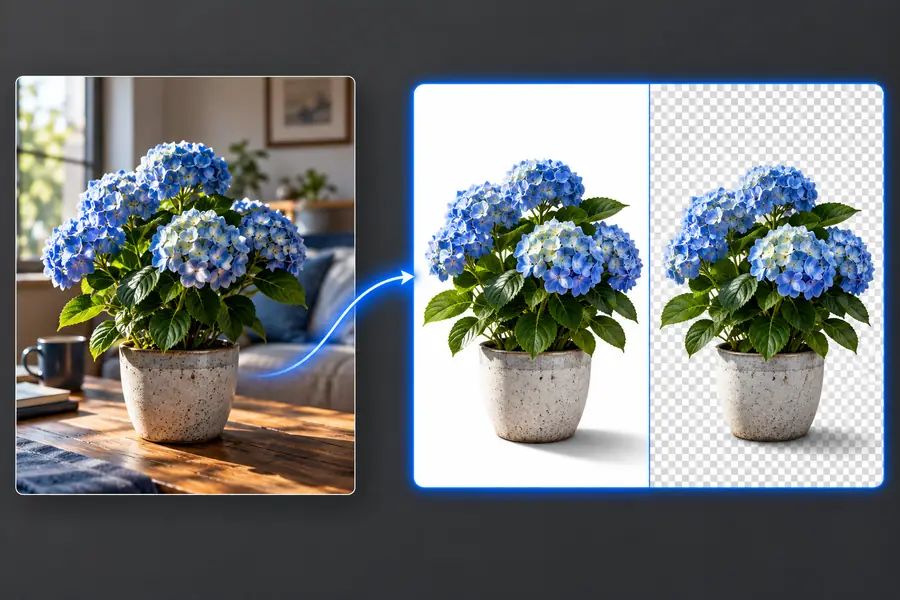

remove bg

Plain-English guide

What is remove bg free? A guide to the term

The query what is remove bg free usually means: can a tool separate a subject from its photo background without a charge? It describes a desired task and cost, not a guaranteed feature or entitlement.

Illustration of an image editing workflow

How it works

A remove bg workflow typically identifies the main subject, estimates its outline, and replaces the surrounding pixels with transparency or another background.

  1. 1

    Start with a clear photo

    Choose an image where the subject is visible and reasonably distinct from its surroundings. If the subject blends into the backdrop, any removal method has less information to work with.

  2. 2

    Separate subject and scene

    An automated tool estimates which pixels belong to the foreground. This estimate, often called a mask, decides which parts of the original image remain visible.

  3. 3

    Inspect the cutout

    Check hair, hands, shadows, and objects with gaps. Refine the mask if an editor offers that control, then choose an export that suits the destination.

What it can and cannot do

Background removal changes the area around a subject; it does not reconstruct every detail hidden in the original photograph.

Example imagery illustrating a subject separated from its surroundings

1

Make a subject easier to reuse

A remove bg cutout can help place a portrait, product, or object on a different canvas. A clean, contrasting input gives the mask a better chance of following the visible outline. If you need a transparent result, check the actual export rather than judging only the editor preview.

  • Useful for changing a backdrop
  • Check the exported file for transparency
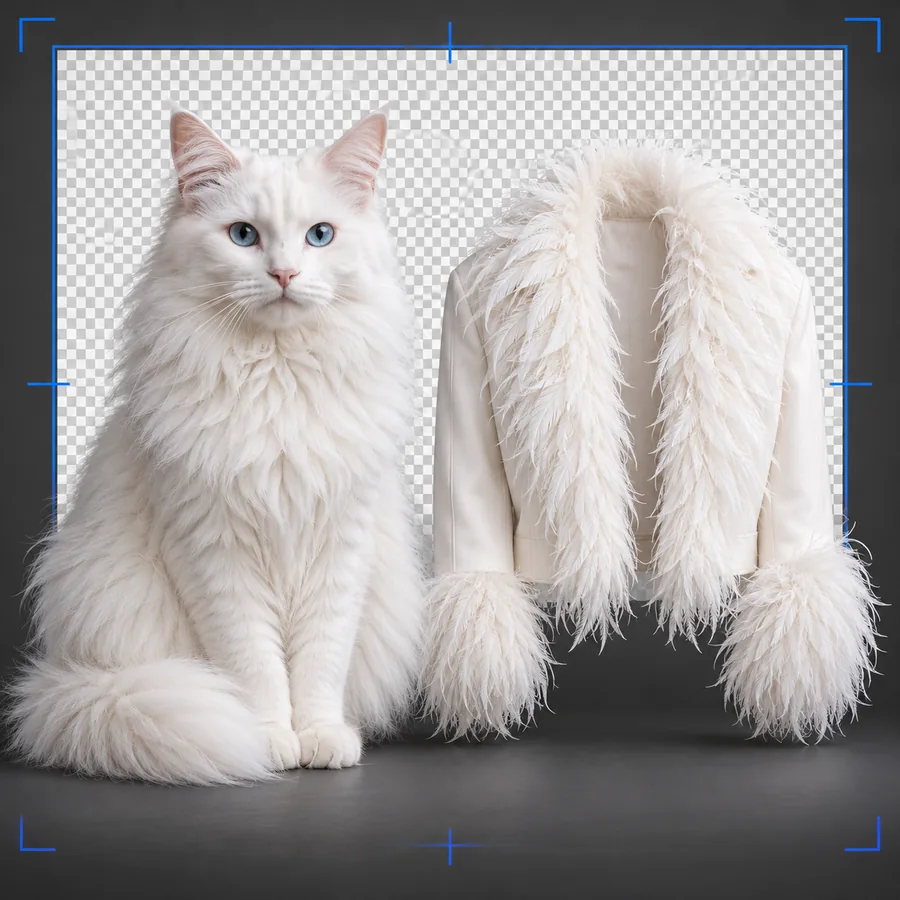
Example imagery illustrating the importance of subject edges

2

Preserve only what the photo shows

Remove bg cannot reveal a hand hidden behind a table or recover sharp strands from a heavily blurred photo. Transparent objects and motion blur can also confuse the foreground boundary. Those cases may call for careful editing, a different source photo, or a simpler replacement background.

  • Hidden details cannot be recovered reliably
  • Fine edges deserve a close inspection

Limits worth checking

  • Free access is tool-specific

    A search for remove bg free does not establish what a particular service includes. Export size, file formats, usage rights, or access requirements can differ.

    WorkaroundRead the current terms and inspect the available export before committing to a workflow.

  • Difficult edges may look rough

    Hair, fur, translucent fabric, and glass can leave halos or missing patches when the foreground mask is imperfect.

    WorkaroundTry a clearer source image or refine the edge in an editor that offers mask controls.

  • Removal is not a full redesign

    Taking away the backdrop does not automatically create a realistic new scene, matching lighting, or a convincing contact shadow.

    WorkaroundTreat compositing, color matching, and shadow work as separate editing steps.

Related background-removal questions

The definition is only a starting point. These guides address where to work, how to inspect access terms, and how to save a usable cutout.

Who uses it

People use remove bg when the background distracts from a subject or prevents an image from fitting a new layout.

Portrait editors

A portrait cutout can sit against a consistent backdrop. Inspect hair and shoulders at full size before using it in a profile or presentation.

Product photographers

Isolating an item can make a catalog layout more consistent, but shiny surfaces and natural shadows may need separate attention.

Designers

A transparent subject can be arranged with text and other graphics. The designer still needs to check contrast and visual balance.

What a before-and-after can show

  • Original setting
  • Cutout concept

These panels illustrate the idea of removing a backdrop; they are not a verified export pair from a particular tool. Judge a real remove bg result by inspecting its edges and saved file.

Portrait photograph with its original surroundings
Illustration of a portrait background-removal result

How the workflow evolved

  1. Physical cutouts

    Editors separated subjects using photographic and print-production techniques. Changing a background required hands-on preparation.

  2. Desktop image editing

    Digital selection and masking tools made it practical to isolate parts of a photo and revise the selection without physically altering a print.

  3. Automated segmentation

    Improving computer-vision methods made automatic foreground estimates useful for more everyday photographs, although complex edges remained difficult.

  4. Browser-based workflows

    Online editors made remove bg a common first step before compositing, sharing, or preparing a graphic for another layout.

Put the definition to work

Start with the image you need to edit

Remove Bg can point you toward an image workflow. Before uploading, check the destination's current capabilities, access terms, and privacy information; then review any result rather than assuming the first cutout is final.

Explore image tools
  • Use a clear source image
  • Inspect fine edges
  • Verify the saved result

FAQ

It is a search for background removal that may be available without a charge. The words alone do not identify a specific service or establish which features, exports, or uses are included.

Usually it means isolating the foreground subject and removing or replacing what surrounds it. The result depends on the mask: parts of the original backdrop can remain, while fine subject details can be lost.

No. An editor might display a transparent preview but save a file with a solid background, depending on its export options. Check the downloaded image in a viewer that can show transparency.

Removing the backdrop does not restore detail the camera failed to capture. A sharper source photo, a different crop, or additional manual editing may produce a more usable result.

Start creating
Start creating